Skip to content

Judjit Extension

Web beta open · extension rollout staged

Build your profile once. Judge roles live on the page.

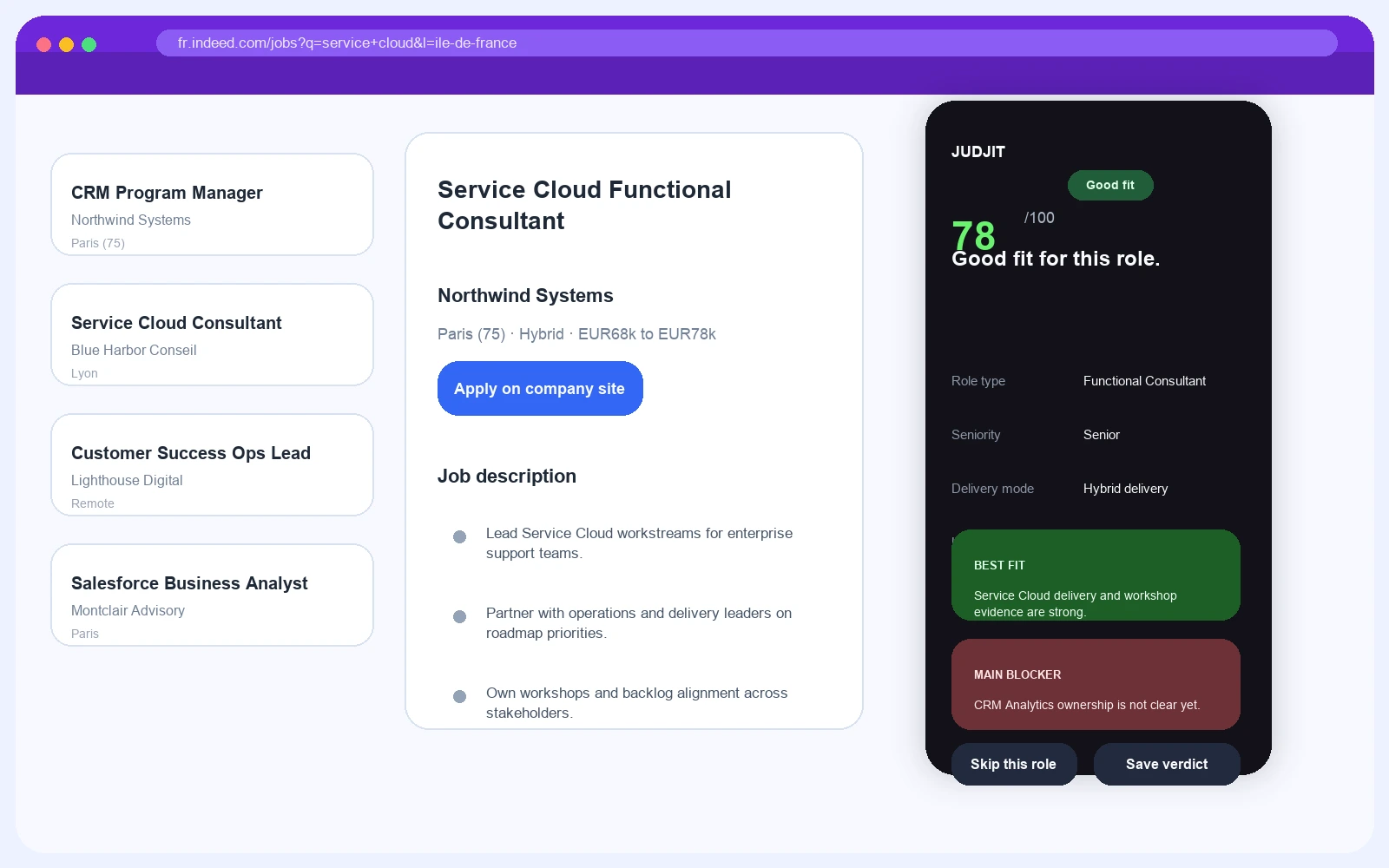
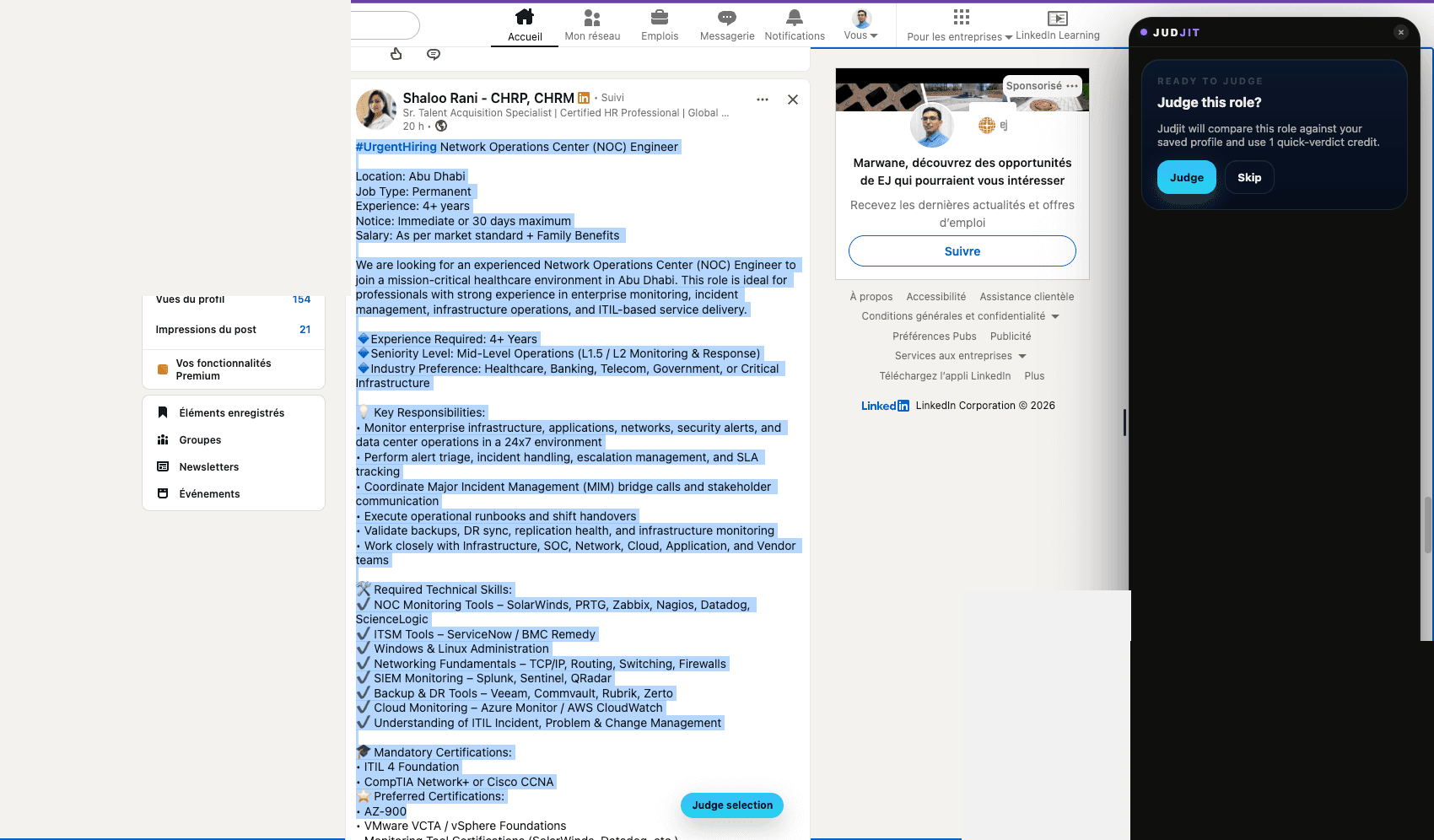
On supported job boards, Judjit opens a blocker-first verdict beside the role you are already reading. Use Judge this job on standard listings or Judge selected text when the page needs a manual read.

Fit, blocker, and next move while the listing is still open.

The extension requires a saved hosted profile. Set one up at judjit.com/join — it usually takes under ten minutes.

Start with the public demo at /match now. The in-browser workflow is being opened carefully while packaging and final store checks are completed.

Read the illustrative scenario →
LinkedInIndeedGlassdoorWTTJAPEC
Supported board view
Synthetic Judjit extension verdict displayed beside a supported job-board page.

Illustrative example — not a real candidate.

What Actually Happens

Three steps. One real verdict.

Set up your profile once. After that, trigger Judjit on any supported listing and you get the verdict in seconds.

Step 01

Build the profile once

Start with your CV, review the extracted profile, and keep one hosted version ready so Judjit has real evidence to compare against the role.

Profile setup is part of the beta right now. Once done, that one profile works on every supported board.

Synthetic Judjit profile preview after CV import.
Synthetic Judjit workspace showing a saved profile ready for judgment.

Illustrative example — not a real candidate.

Step 02

Open a supported role and trigger Judjit

On standard job pages you can use Judge this job. On search or feed surfaces you can highlight role text and use Judge selected text for a manual read.

The action happens on the page you are already browsing. No copy-paste detour, no separate tab, no rephrasing the role by hand.

Synthetic Judjit extension popup showing the selected-text judgment state.

Judge this job

Use the in-page trigger on supported listing detail pages.

Judge selected text

Highlight the role text when you are on search, feed, or other non-standard views.

Illustrative example — not a real candidate.

Step 03

Get the blocker before you apply

The sidebar returns a score, the main blocker, fit dimensions, and a next move while the listing is still open beside it.

Browse normally, trigger once, and decide faster while the listing is still open beside the verdict.

Synthetic Judjit sidebar verdict shown beside a supported job-board listing.

Illustrative example — not a real candidate.

What Opens In The Sidebar

The verdict is specific enough to act on.

This isn't a keyword match that tells you what you want to hear. Judjit names the actual blocker, shows where the fit holds, and lets you decide what to do next.

Illustrative example — not a real candidate.

Synthetic Judjit verdict sidebar with fit score and blocker-first analysis.

Fit score

A simple read on whether the role deserves attention now or belongs in the skip pile.

Main blocker

The missing proof, seniority gap, platform gap, or location mismatch that changes the decision.

Fit dimensions

Role family, seniority, language, delivery mode, and board-specific context surfaced beside the listing.

Next move

Save the verdict, prepare the outreach honestly, or move on without burning time on the wrong role.

Want Judjit next to the roles you read?

Set up your profile now. Ask for extension access when you're ready to judge roles directly on the boards.

Start with the public demo at /match now. The in-browser workflow is being opened carefully while packaging and final store checks are completed.